






BEYOND DIGITAL

What’s New in Zoho Backstage: Key Updates 2025

Zoho Backstage continues to evolve rapidly – and in 2025, several new features have been added that noticeably simplify your daily event operations. In this article, you will learn which updates Zoho Backstage has introduced, what they can do, and how they help elevate your events to the next level.
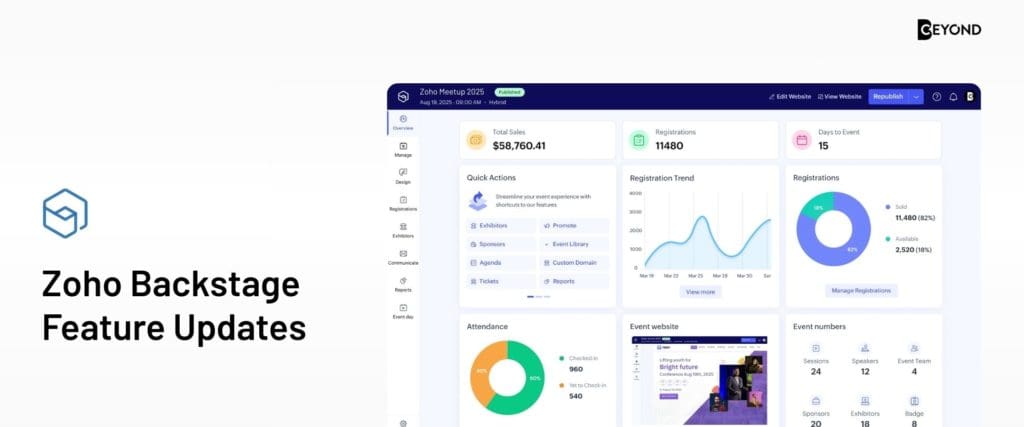
Zoho Backstage Feature Uptdates

What exactly is Zoho Backstage?

Zoho Backstage is Zoho’s event management platform designed for in-person, hybrid, and virtual events. It lets you build event websites, manage tickets, sessions, speakers, sponsors, and guide participants through the entire event journey – all within one tool. The goal: fewer tool switches, more clarity, and a thoughtfully designed experience for your attendees.

RSVP: Bringing clarity to invite-only events

The new RSVP feature in Zoho Backstage finally answers the question: “Who is actually attending?”

  • You can define events as invite-only: only invited guests can register.
  • Guest lists can be imported via CSV or Excel and invited directly from Backstage.
  • You can set a deadline by which guests must confirm, decline, or respond with “maybe.”
  • The RSVP dashboard gives you real-time insight into who has responded, who hasn’t, and who still needs a reminder.

This is especially valuable for exclusive workshops, limited trainings, or customer events. You can now plan catering, room size, and seating based on real numbers – not guesswork.

Certificate Builder: Generate certificates directly within Zoho Backstage

Workshops, trainings, or certification events often require a professional wrap-up – typically in the form of a participation or achievement certificate.

With the new Certificate Builder, you can:

  • Design certificates via drag-and-drop – no design skills required
  • Automatically insert event and participant data (name, event title, date, logo, signatures, etc.)
  • Use templates or create your own designs from scratch
  • Deliver certificates automatically via email, for example through a “Download Certificate” button in your event follow-up email

No more juggling external tools: creation, delivery, and assignment happen directly inside Zoho Backstage.

Session Registration & Ticket Grouping: More structure for complex programs

Especially for multi-day conferences or events with parallel tracks, things can get overwhelming. Two new features help streamline the experience.

Session Registration

With Session Registration, you control which sessions require additional sign-ups:

  • Set a dedicated attendee limit per session (e.g., only 30 seats for a workshop)
  • Add session-specific fees if needed
  • Enable session-level check-in to better analyze attendance and no-shows

To ensure smooth operation, ticket classes, payments, the agenda, and (if used) registration approval should already be configured beforehand.

Ticket Grouping (Ticket Class Grouping)

Instead of showing a long list of different ticket types, you can now group them, for example:

  • Tier 1 (“Platinum Pass”)
  • Tier 2 (“Gold Pass”)
  • Tier 3 (“Special Entry”)

This makes the ticket selection page far clearer for participants and helps them understand the differences more quickly – leading to better, more confident purchase decisions.

Accessibility: Making your events more inclusive

Zoho Backstage has taken a major step forward in 2025 in terms of accessibility. The goal is to make events as inclusive as possible for people with different visual, hearing, mobility, or learning needs.

Through the new Accessibility menu, participants can:

  • Adjust contrast and colors (e.g., high contrast, grayscale, sepia)
  • Change text size and typography, including dyslexia-friendly settings
  • Activate reading guides and focus tools for better orientation
  • Highlight important links and adjust the zoom level
  • Enable keyboard navigation, large cursors, and focus highlights

All options are aligned with WCAG 2.2 AA accessibility standards, demonstrating that your events are not only professional but also thoughtfully inclusive.

Custom Mobile App: Your event companion in participants’ pockets

Zoho Backstage now places even stronger emphasis on custom event apps that appear in the App Store and Google Play Store with your brand’s look and feel.

In the redesigned mobile app, participants will find:

  • A central dashboard with quick access to the agenda, networking, speakers, sponsors, meetings, and more
  • A user-friendly agenda that can be filtered by track, topic, or day, with the ability to bookmark sessions
  • A networking hub with attendee profiles, 1:1 messaging, meeting requests, and a badge scanner for on-site interactions
  • A media gallery containing event photos and highlights
  • A personal “Briefcase” where all bookmarked sessions, speakers, exhibitors, and sponsors are automatically collected

To publish the app, you’ll need an Apple and/or Google developer account. As a Zoho Premium Partner, we support you throughout the entire process – from configuration to app launch.

More Conversion & Control: Reminders, Payments, and Workflows

In addition to the major updates, Zoho Backstage has introduced many smaller yet powerful enhancements:

  • Payment Completion Reminder
    Backstage detects abandoned registrations (when users start but do not complete the payment process). Based on this, automated reminder sequences can be triggered – for example after 30 minutes, after 24 hours, and after 3 days. A highly effective way to win back potential attendees who might otherwise drop off.
  • More flexible payment options
    New payment gateways and additional methods (including expanded Stripe options) simplify international payment processing – without any break in the checkout flow.
  • WhatsApp integration with editable number and new templates
    You can now change the phone number used for your WhatsApp integration without rebuilding your setup. New preconfigured templates help streamline communication with attendees, speakers, and sponsors.
  • More control over cancellations and ticket transfers
    You can allow or restrict ticket transfers (including defining time windows). Cancellations can now run through an approval workflow: participants submit a cancellation request, and you decide whether to approve and process the refund.

Together, these features make your processes more professional and fully integrated – from the first booking to any potential refunds.


Make the most of Zoho Backstage now

The new features in Zoho Backstage clearly show how consistently Zoho enhances event management based on real-world needs:

  • RSVP makes exclusive events far easier to plan
  • Certificate Builder delivers a professional event wrap-up
  • Session Registration & Ticket Grouping bring clarity to complex programs
  • Accessibility features & the new Custom Mobile App significantly improve participant experience
  • Reminders, payment options, and workflows strengthen your conversion and operational control

If you already use Zoho Backstage – or are considering it – now is the perfect time to explore these features and integrate them into your event strategy together with CEYOND as your Zoho Premium Partner.


Tip for further reading: If you want to stay updated on the latest features across the Zoho ecosystem, we also recommend our recent article on the Zoho Projects updates: Zoho Projects Update

Latest Stories

Many businesses struggle with inefficient processes, unclear responsibilities, and fragmented process knowledge. Information is scattered across different tools or individual employees, handovers take too long, and documentation must be gathered again each year for audits. At the same time, the pressure to make processes more transparent, efficient, and digital continues to grow. IBM Blueworks Live provides exactly this support: a central, easy-to-understand platform where you can visualize your business processes, optimize them collaboratively, and standardize them for the long term. CEYOND guides you along this journey – from the first analysis to successful digital implementation.

Zoho Projects has rolled out major updates in 2025, bringing a host of features that make project management more efficient, structured, and intelligent. As a Zoho Premium Partner, we’ve summarized the most exciting innovations – and how they make your daily work easier.

Smarter, faster, more efficient – that’s the promise of generative AI in modern sales workflows. And Zoho is leading by example: with the integration of Zia, Zoho CRM’s AI assistant, businesses can now create emails, follow-ups, or summaries directly within the CRM – no coding or copy-pasting needed. In this article, we’ll walk you through 5 smart use cases that show how generative AI can streamline and accelerate your sales operations.